- Home Page /
- Office Products /
- Office Electronics /
- Printers & Accessories /
- Computer Printer Parts & Accessories /
- Computer Printer Ink & Toner /
- Toner Cartridges /
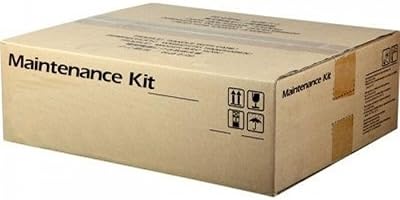
- Kyocera Fs-4100dn4200dn4300dn Maintenance Kit
0 ratings


Item #:
46037252
Kyocera Fs-4100dn4200dn4300dn Maintenance Kit
Item #:
46037252
TMT 2498
Price Details
Excluding Shipping & Custom charges ( Shipping and custom charges will be calculated on checkout )
*All items will import from US
0 ratings
Write a review
In stock
 Imported from USA store
QTY:
Order now and get it around Saturday, October 24
Secured transaction
Ubuy works hard to protect your security and privacy. Our advanced payment security system ensures confidentiality by encrypting your information during transmission using AES (Advanced Encryption Standards) and SSL (Secure Socket Layer) protocols. Your payment details are 100% secure as we do not share your payment details with third party sellers.
Our Top Logistics Partners


Maintenance Kit for the maintenance interval at 500,000 pages.

Fast
Shipping

Free
Return*

Secure Packaging

100% Original Products

PCI DSS Compliance

ISO 27001 Certified



Note: Step Down Voltage Transformer required for using electronics products of US store (110-120). Recommended power converters Buy Now.


What Stands Out
High-Yield Components
The Kyocera maintenance kit includes high-yield components designed to enhance printer life and reliability, ensuring consistent performance and reducing downtime.
Easy Installation
With user-friendly design, the maintenance kit allows for quick and hassle-free installations, empowering users to maintain their printers without professional assistance, saving both time and money.
Cost-Effective Solution
This maintenance kit extends the life of Kyocera printers, offering a cost-effective solution that minimizes the frequency of replacements, thus maximizing overall value for users.
Product Details
| Max Input Sheet Capacity | 100 |
| Max Copy Speed (Black & White) | 10 ppm |
| Dual-sided printing | Yes |
| Wattage | 3600 kWh |
| Max copy resolution color | 600 dpi |
| Max copy resolution black-white | 600 dpi |
| Duplex | Automatic |
| Hardware Interface | Ethernet |
| Ink Color | Black |
| Additional Printer functions | All In One |
| Control Method | App |
| Model Series | Fs |
| UPC | 632983027677 632983031766 |
| Global Trade Identification Number | 00632983027677 |
| Memory Storage Capacity | 12 GB |
| Item Weight | 9.8 pounds (4.45 kg) |
| Item model number | MK-3130 |
| Is Discontinued By Manufacturer | No |
| Date First Available | October 29, 2012 |
| Manufacturer | Kyocera Mita UK Ltd |
| Language | English, English, English, English |
| Brand | KYOCERA |
| Connectivity Technology | Ethernet |
| Printing Technology | Laser |
| Model Name | FS 410DN |
| Printer Output | Monochrome |
| Maximum Print Speed (Color) | 10 ppm |
| Max Printspeed Monochrome | 10 ppm |
| Item Weight | 4.46 Kilograms |
| Controller Type | Push Button |
| Print media | Labels |
Who Should Buy?

-
High-Volume Users
Ideal for users who regularly print a large number of pages and require consistent performance and quality.
-
Office Environments
Perfect for busy office settings where reliability and maintenance are crucial for uninterrupted printing tasks.
-
Cost-Conscious Businesses
Beneficial for businesses looking to reduce long-term printing costs with durable, high-quality maintenance solutions.

-
Occasional Users
Unsuitable for users who print infrequently and may not need a full maintenance kit for their printing needs.
Product Description
Kyocera Fs-4100dn4200dn4300dn Maintenance Kit
Have any Query? Chat with us
Customer Questions & Answers
-
Question:
What is included in the Kyocera FS-4100DN/4200DN/4300DN Maintenance Kit?
Answer: The Kyocera FS-4100DN/4200DN/4300DN Maintenance Kit typically includes essential components such as a transfer belt, imaging drum, and various rollers. These parts are crucial for maintaining the printer's performance and print quality. Regularly replacing these components helps prevent issues such as fading or smudging during printing, ensuring that your documents remain crisp and professional. For users in busy environments, utilizing the maintenance kit ensures continuous operation without unexpected interruptions. -
Question:
How do I know when to replace the maintenance kit for my Kyocera printer?
Answer: Users can monitor the printer's maintenance messages to determine when a replacement is necessary. The printer interface often displays alerts indicating that it's time to change the maintenance kit components. Additionally, observing print quality degradation such as streaks or color inconsistency can indicate it's time for a replacement. Regular monitoring helps maintain efficiency, especially for businesses that rely on high-volume printing to communicate effectively. -
Question:
Can I install the Kyocera FS-4100DN/4200DN/4300DN Maintenance Kit myself?
Answer: Yes, you can install the maintenance kit yourself with relative ease. The installation process typically involves following simple instructions provided in the kit, allowing users to replace components without professional assistance. It's recommended to consult the user manual for step-by-step guidance. Self-installation not only saves time but also enables users to ensure their printer is running optimally, which is particularly beneficial for offices with high printing demands. -
Question:
What are the benefits of using the Kyocera Maintenance Kit?
Answer: Using the Kyocera Maintenance Kit significantly enhances the printer's longevity and performance. It helps maintain high print quality, reduces the likelihood of malfunctions, and ensures that your printer operates smoothly. For users, this means consistent performance in producing sharp prints, beneficial for important presentations or documents. Regular maintenance not only improves output quality but can also extend the lifespan of the printer, making it a vital investment for any office setting. -
Question:
Is the maintenance kit compatible with other Kyocera models?
Answer: The Kyocera FS-4100DN/4200DN/4300DN Maintenance Kit is specifically designed for these models; therefore, it is not guaranteed to be compatible with other Kyocera printers. Always check compatibility by referring to your printer’s specifications or user manual. Using the correct maintenance kit ensures optimal performance and print quality. This is crucial for businesses aiming to avoid downtime caused by compatibility issues with misfitted components. -
Question:
Where can I find instructions for installing the maintenance kit?
Answer: Installation instructions for the Kyocera FS-4100DN/4200DN/4300DN Maintenance Kit can usually be found in the product packaging or on Kyocera's official support website. Additionally, you may find video tutorials on platforms like YouTube. Having these instructions at hand helps ensure a smooth installation process, particularly for individuals who may be unfamiliar with the printer's inner workings. This preparation allows users to confidently perform maintenance on their printers. -
Question:
What should I do if my printer still shows maintenance messages after installing the kit?
Answer: If your printer continues to display maintenance messages even after you've installed the maintenance kit, it's advisable to restart the printer to reset the system. In some cases, running a printer diagnostics check may help identify any unresolved issues. If problems persist, consulting the user manual or contacting Kyocera support may be necessary. This proactive approach ensures that any underlying issues are addressed promptly, helping maintain optimal printer functionality. -
Question:
How often should the maintenance kit be replaced?
Answer: The replacement of the maintenance kit can vary based on usage; however, it is generally recommended to replace it after every 200,000 pages printed for optimal performance. Keeping track of page count through the printer's settings will help you stay on top of maintenance needs. Regular replacements are crucial for environments with high printing demands, ensuring that your printer continues to produce high-quality documents without interruptions. -
Question:
Can using third-party maintenance kits harm my printer?
Answer: Using third-party maintenance kits can potentially harm your printer. These kits may not meet the specifications required for optimal performance, leading to print quality issues or even printer malfunctions. It’s advisable to use the original Kyocera Maintenance Kit to ensure compatibility and maintain warranty conditions. Properly sourced components contribute to the overall efficiency and longevity of your printer, safeguarding your investment. -
Question:
Where can I buy the Kyocera FS-4100DN/4200DN/4300DN Maintenance Kit in Turkmenistan?
Answer: You can buy the Kyocera FS-4100DN/4200DN/4300DN Maintenance Kit from Ubuy in Turkmenistan. Ubuy offers a variety of printer maintenance parts, ensuring you can find the right components easily. Their platform provides a user-friendly experience, making it simple to search for and purchase essential parts for your printer, allowing you to maintain optimal performance in your printing tasks.
KYOCERA Toner Cartridges MK-3130 Editorial Review
No editorial reviews found
Customer Reviews & Ratings
1 customers ratings
-
5 Star
100%
-
4 Star
0%
-
3 Star
0%
-
2 Star
0%
-
1 Star
0%
Review this product
Share your thoughts with other customers
Platform Trust & Buyer Confidence

JK
Jasmin
Verified buyer
“Great products and very good service: very easy and very fast international delivery.”
9 September 2026 · via Trustpilot
AG
Anke
Verified buyer
“Wonderful online shopping experience, smooth transaction from the start. Payment method works conveniently and delivery is unexpectedly fast and reliable. You go the extra mile for service. What makes this even more amazing, you deliver to Namibia. I will remain a happy Ubuy customer and will increase my purchases for sure! Thank you!”
10 September 2026 · via Trustpilot
H
Hazel
Verified buyer
“Very easy to find the products what you need, and so fast delivery, that’s why I highly recommended to others costumers to used ubuy.”
10 September 2026 · via Trustpilot
O
Opaleye
Verified buyer
“I received exactly what I ordered I was skeptical about your site because that was my first time to order. But the order came timely and neatly packaged. I was not disappointed. Thank you.”
11 September 2026 · via Trustpilot
AC
Adele
Verified buyer
“Easy to find and order what you want on the website. Delivery is quick to the UK”
8 September 2026 · via Trustpilot
Secure Checkout
Global Delivery
Easy Returns
Genuine Products
Product Price History
Important information
- Limitations : For products shipped internationally, please note that any manufacturer warranty may not be valid; manufacturer service options may not be available; product manuals, instructions, and safety warnings may not be in destination country languages; the products (and accompanying materials) may not be designed in accordance with destination country standards, specifications, and labeling requirements; and the products may not conform to destination country voltage and other electrical standards (requiring use of an adapter or converter if appropriate). The recipient is responsible for assuring that the product can be lawfully imported to the destination country. When ordering from Ubuy or its affiliates, the recipient is the importer of record and must comply with all laws and regulations of the destination country.
- Not all the products listed on Ubuy are for sale, as Ubuy is a global search engine. Products are subject to export/trade regulations.
TMT 2498
Order now and get it around Saturday, October 24
This item is not restrict in my country.(Please click on above link if this item is not restrict in your country, So our team will review and allow.)
QTY:
Secured transaction
PCI DSS compliant and ISO 27001:2022 certified, with encrypted payments and full buyer protection on every order.
Our Top Logistics Partners
Fastest cross-border delivery
Features & Benefits
- Designed for Kyocera FS4200DN printer.
- Supports a maintenance interval of up to 500,000 pages.
- Includes essential components for reliable printer performance.
- Featuring roller assembly, parts holder, and transfer assembly.
- Ensures long-lasting durability and efficiency.
- Ideal for professional use and high-volume printing.
Ubuy Assurance
Experience worry-free shopping with 100% original products, PCI DSS-compliant payment security, ISO 27001-certified data protection, the fastest cross-border delivery, free returns *, and secure packaging on every order.