- Home Page /
- Books /
- Computers & Technology /
- Hardware & DIY /
- Personal Computers /
- PCs /
- My Google Chromebook




Item #:
14840613
My Google Chromebook
Item #:
14840613
TMT 109
Price Details
Excluding Shipping & Custom charges ( Shipping and custom charges will be calculated on checkout )
*All items will import from US
20%
In stock
 Imported from USA store
QTY:
Only 1 item left in stock.
Order now and get it around Saturday, August 22
Secured transaction
Ubuy works hard to protect your security and privacy. Our advanced payment security system ensures confidentiality by encrypting your information during transmission using AES (Advanced Encryption Standards) and SSL (Secure Socket Layer) protocols. Your payment details are 100% secure as we do not share your payment details with third party sellers.
Our Top Logistics Partners


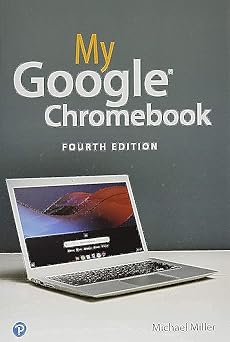
Full-color, step-by-step tasks walk you through doing exactly what you want with your Chromebook.

Fast
Shipping

Free
Return*

Secure Packaging

100% Original Products

PCI DSS Compliance

ISO 27001 Certified


Note: Step Down Voltage Transformer required for using electronics products of US store (110-120). Recommended power converters Buy Now.


What Stands Out
Lightweight Design
The Google Chromebook 4th Edition is designed for portability, making it easy to carry around. Ideal for students and professionals who need a lightweight laptop for on-the-go use.
Fast Performance
Powered by an efficient processor, this Chromebook offers quick boot-up times and smooth multitasking. It effectively meets the needs of users looking for speed and efficiency in daily tasks.
Long Battery Life
With extended battery performance, the Chromebook ensures you stay productive throughout the day. Perfect for users who need reliable power without constant recharging.
Product Details
- Step-by-step instructions with callouts to Google Chromebook photos that show you exactly what to do Help when you run into Chromebook problems or limitations Tips and Notes to help you get the most from your Chromebook Full-color, step-by-step tasks walk you through doing exactly what you want with your Chromebook. Learn how to Set up and configure your new Chromebook Personalize your Chromebook’s desktop and other settings Use your Chromebook with the touchpad, keyboard, or touchscreen Browse and search the Web with the Google Chrome browser Manage your files wherever they’re stored: on your Chromebook, on an external drive, or in the cloud Find great new Chrome and Android apps in the Google Play Store Strengthen privacy with Incognito Mode and Google’s privacy settings Watch streaming TV shows and movies with Netflix, Hulu, and Amazon Prime Video Listen to streaming music with Pandora, Spotify, and Google Play Music View and fix photos with Google Photos Print from anywhere with Google Cloud Print Send, receive, read, and manage email through Google Gmail Get productive with Google Docs, Sheets, and Slides Use your Google Chromebook for education Optimize Chromebook performance and battery life Troubleshoot and recover from problems
| Publisher | Que Publishing |
| Publication date | August 12, 2019 |
| Edition | 4th |
| Language | English |
| Print length | 272 pages |
| ISBN-10 | 0135911826 |
| ISBN-13 | 978-0135911822 |
| Item Weight | 2.31 pounds (1.05 kg) |
| Dimensions | 6 x 0.65 x 8.95 inches (15.2 x 1.7 x 22.7 cm) |
| Part of series | My... |
Who Should Buy?

-
Students
Ideal for students needing a lightweight, affordable device for web-based assignments and online research.
-
Casual Users
Perfect for casual users who primarily browse the internet, stream videos, and use cloud applications.
-
Travelers
Compact and lightweight, it's great for travelers who need a reliable device for on-the-go productivity.

-
Gamers
Not suitable for gamers as it lacks powerful graphics capabilities to run demanding video games.
Product Description
Have any Query? Chat with us
Customer Questions & Answers
-
Question:
What are the key specifications of My Google Chromebook 4th Edition?
Answer: My Google Chromebook 4th Edition features a robust Intel processor, 4GB of RAM, and a 32GB SSD for storage. This combination ensures smooth performance for everyday tasks, allowing you to run multiple applications seamlessly. Its lightweight design and over 10 hours of battery life make it an ideal choice for students and professionals on the go, enabling you to attend classes or meetings without constantly searching for a power outlet. -
Question:
Can I use My Google Chromebook 4th Edition for gaming?
Answer: While My Google Chromebook 4th Edition is not designed specifically for high-end gaming, it can handle light gaming applications and casual games available on the Google Play Store. The integrated graphics and processing power are sufficient for games like 'Stardew Valley' or 'Among Us'. For a better gaming experience, consider cloud gaming services like Google Stadia, which can be streamed directly through the Chromebook. -
Question:
Is My Google Chromebook 4th Edition compatible with Android apps?
Answer: Yes, My Google Chromebook 4th Edition supports Android applications through the Google Play Store, enabling you to download and use a wide variety of apps for productivity, creativity, and entertainment. This expands its functionality significantly, allowing you to use popular applications such as Microsoft Office, Zoom, and various entertainment apps all in one device, making it a versatile option for both work and leisure. -
Question:
What are some recommended accessories for My Google Chromebook 4th Edition?
Answer: Enhance your experience with My Google Chromebook 4th Edition by considering accessories like a protective case, a wireless mouse, and a portable external hard drive for extra storage. A wireless mouse can improve navigation efficiency during heavy usage, while a protective case can safeguard your device against daily wear and tear. Additionally, an external hard drive provides more storage for files, photos, and projects, which is helpful if you use the Chromebook for content creation. -
Question:
How do I set up My Google Chromebook 4th Edition?
Answer: Setting up My Google Chromebook 4th Edition is straightforward. Upon powering it on, you'll be prompted to connect to Wi-Fi and sign in with your Google account. This integration allows instant access to all your Google services and apps. It’s perfect for anyone wanting a quick start to the cloud-driven experience since most of your data can be synced seamlessly, eliminating the hassle of data transfer and management. -
Question:
What safety features are included in My Google Chromebook 4th Edition?
Answer: My Google Chromebook 4th Edition includes built-in security features like automatic updates, sandboxing, and verified boot to keep your device secure from malicious software. These features work together to ensure your device remains safe without requiring extensive user intervention. Additionally, the regular updates mean you benefit from continuous security enhancements which is crucial for maintaining the integrity of your personal and professional information. -
Question:
How can I extend the battery life of My Google Chromebook 4th Edition?
Answer: To extend the battery life of My Google Chromebook 4th Edition, consider reducing screen brightness, disabling Bluetooth when not in use, and closing unused tabs and applications. You can also enable Battery Saver mode, which adjusts settings to conserve power. This is particularly useful for long study sessions or travel, ensuring you get the most out of your battery while staying productive throughout the day. -
Question:
Can My Google Chromebook 4th Edition connect to external displays?
Answer: Yes, My Google Chromebook 4th Edition can connect to external displays using its HDMI port or USB-C ports. This capability allows you to extend your workspace significantly, whether for presentations, multitasking, or entertainment. For example, teachers can use it for classroom presentations, while professionals may appreciate the ability to work across multiple screens during extensive projects. -
Question:
How do I update My Google Chromebook 4th Edition?
Answer: Updating My Google Chromebook 4th Edition is simple and automatic. The device checks for updates regularly, and you'll typically receive a notification when an update is available. To manually check, go to Settings, select 'About Chrome OS', and click 'Check for updates'. Ensuring your Chromebook is up-to-date is crucial for security and accessing new features, providing you with the best overall experience. -
Question:
Where can I buy My Google Chromebook 4th Edition?
Answer: You can buy My Google Chromebook 4th Edition in Turkmenistan from Ubuy, a reliable platform that offers a wide selection of electronics and tech gadgets. Ubuy provides customers with the convenience of online shopping, ensuring you have access to the latest models and competitive options, all from the comfort of your home.
PCs Editorial Review
The My Google Chromebook 4th Edition is a well-organised and informative guidebook for new users who have recently acquired a Chromebook. It provides step-by-step instructions, clear and easy to understand explanations, and plenty of illustrations and photos of various screens. Reviewers have commended the book for being helpful, contributing to their understanding of the Chromebook ecosystem, and serving as a launching pad for users who want to delve deeper into the product's features. One buyer found it exceptionally useful for transitioning from a Windows-based PC to a Chromebook. However, one buyer had a negative experience, stating that the product Consistently failed to work correctly despite seeking assistance.
Customer Reviews & Ratings
211 customers ratings
-
5 Star
69%
-
4 Star
16%
-
3 Star
11%
-
2 Star
2%
-
1 Star
2%
Review this product
Share your thoughts with other customers
Pros
- Clear, easy to understand explanations
- Step-by-step instructions
- Includes numerous photos and illustrations of various screens
- Well-organised and informative guidebook
- Easy launch pad for users who want to know more or deepen their understanding of the Chromebook ecosystem
Cons
- One buyer struggled to get their Chromebook to work correctly, despite seeking support from various sources
Platform Trust & Buyer Confidence

MA
Mohammad
Verified buyer
“Excellent quality and original too,when ubuy send original things I will appreciate that ,I very satisfied thank you”
23 July 2026 · via Trustpilot
CK
Chitra
Verified buyer
“The order and delivery progress was communicated very well. Package arrived within the estimated time. Products arrived as expected in good condition.”
22-Jul-26 · via Trustpilot
K
kund
Verified buyer
“Good supply of products. Safe payment methods, and shipment worldwide! Genuine products.”
23-Jul-26 · via Trustpilot
OO
Onesi
Verified buyer
“Was my first time buying a product from Ubuy, but I found it so helpful. This is reliable. Gonna place a new order!”
22 July 2026 · via Trustpilot
SJ
SAO JOHN
Verified buyer
“Ubuy is a great online platform to buy stuff. Reliable, fast delivery time and great value for money. I've been using Ubuy online shopping platform for three years now and will continue to do so.”
23 July 2026 · via Trustpilot
Secure Checkout
Global Delivery
Easy Returns
Genuine Products
Product Price History
Important information
- Limitations : For products shipped internationally, please note that any manufacturer warranty may not be valid; manufacturer service options may not be available; product manuals, instructions, and safety warnings may not be in destination country languages; the products (and accompanying materials) may not be designed in accordance with destination country standards, specifications, and labeling requirements; and the products may not conform to destination country voltage and other electrical standards (requiring use of an adapter or converter if appropriate). The recipient is responsible for assuring that the product can be lawfully imported to the destination country. When ordering from Ubuy or its affiliates, the recipient is the importer of record and must comply with all laws and regulations of the destination country.
- Not all the products listed on Ubuy are for sale, as Ubuy is a global search engine. Products are subject to export/trade regulations.
TMT 109
Order now and get it around Saturday, August 22
This item is not restrict in my country.(Please click on above link if this item is not restrict in your country, So our team will review and allow.)
QTY:
Only 1 item left in stock.
Secured transaction
PCI DSS compliant and ISO 27001:2022 certified, with encrypted payments and full buyer protection on every order.
Our Top Logistics Partners
Fastest cross-border delivery
Features & Benefits
- Step-by-step instructions with callouts to Google Chromebook photos
- Tips and Notes to help you get the most from your Chromebook
- Manage your files wherever they're stored: on your Chromebook, on an external drive, or in the cloud
- Find great new Chrome and Android apps in the Google Play Store
- Get productive with Google Docs, Sheets, and Slides
- Full-color, step-by-step tasks walk you through doing exactly what you want with your Chromebook.
Ubuy Assurance
Experience worry-free shopping with 100% original products, PCI DSS-compliant payment security, ISO 27001-certified data protection, the fastest cross-border delivery, free returns *, and secure packaging on every order.